Powered by iLA VAD™
Live audio routing, already handled.
Getting the microphone, music, processed vocal, monitoring, and broadcast audio to the right destinations is often the hardest part of a livestream setup.
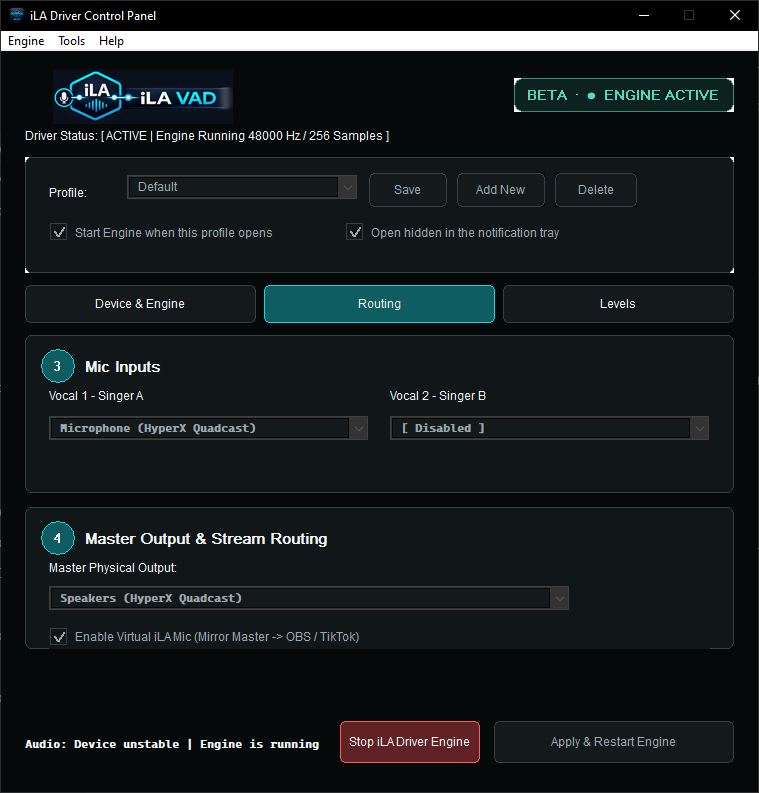
The integrated audio layer powered by iLA VAD™ manages those connections by role. You mainly choose your device, mic or input, and monitor output; idolLiveAudio handles the audio paths required by the live workflow behind the scenes.
iLA VAD is the audio infrastructure behind idolLiveAudio, not a separate routing product users need to learn.
- Native ASIO Support
- Virtual Audio Endpoints
- Virtual ASIO Bridge
- Low-Latency Live Workflow
Product Walkthrough
From microphone to livestream in five clear steps.
idolLiveAudio follows the way singers actually prepare for a live session, while the integrated audio layer handles the connections behind the scenes.
Plug & Sing
One live workflow instead of a complicated audio setup.
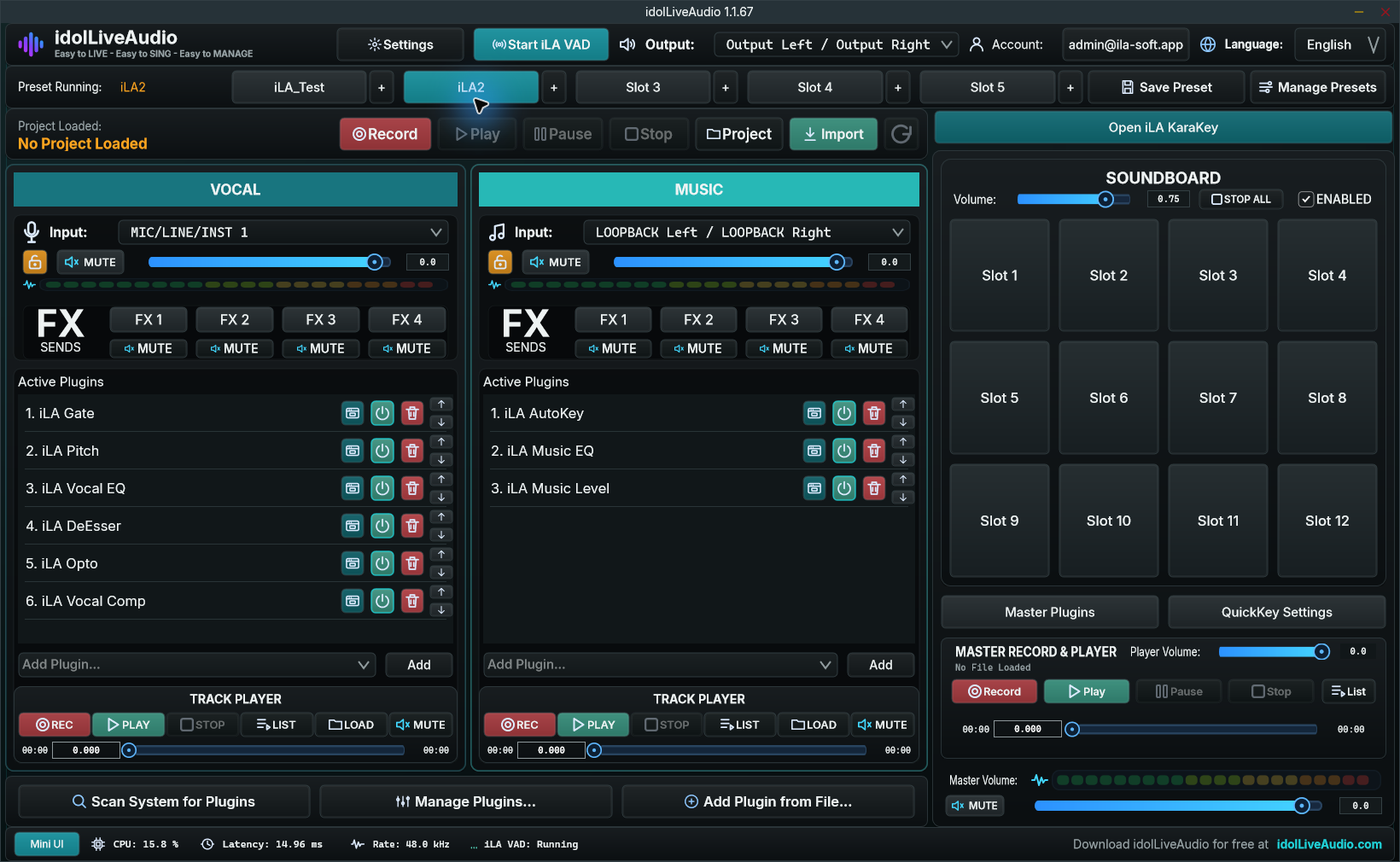
You do not need to learn a DAW or build your own virtual-cable and bus layout. The controls needed for singing live are organized in one clear interface, from vocal presets and music to monitoring, soundboard, and recording.
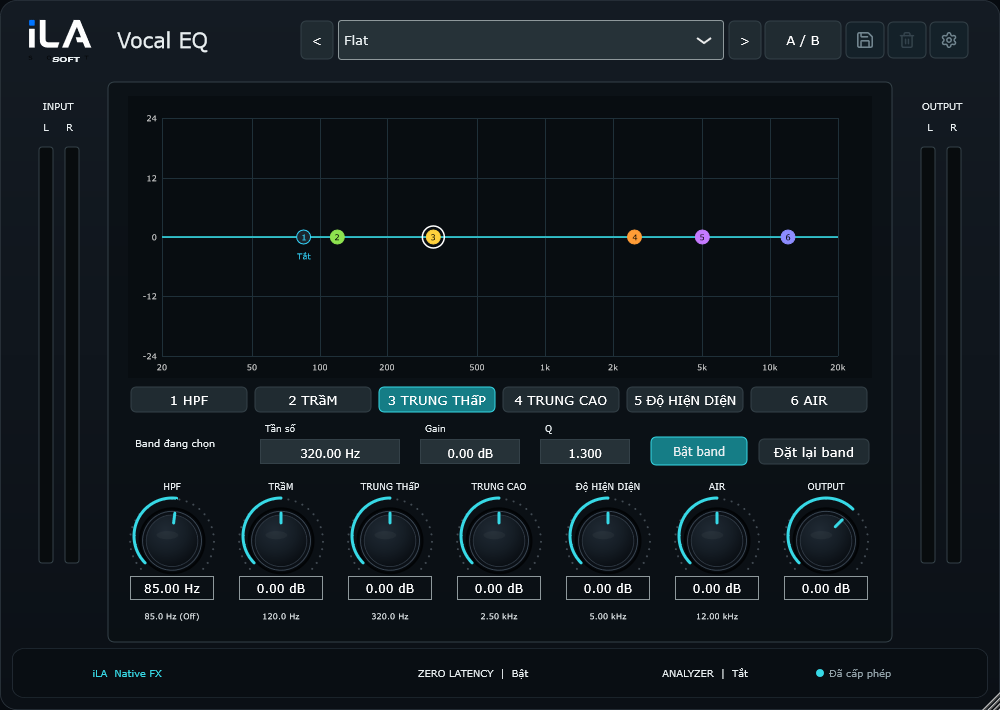
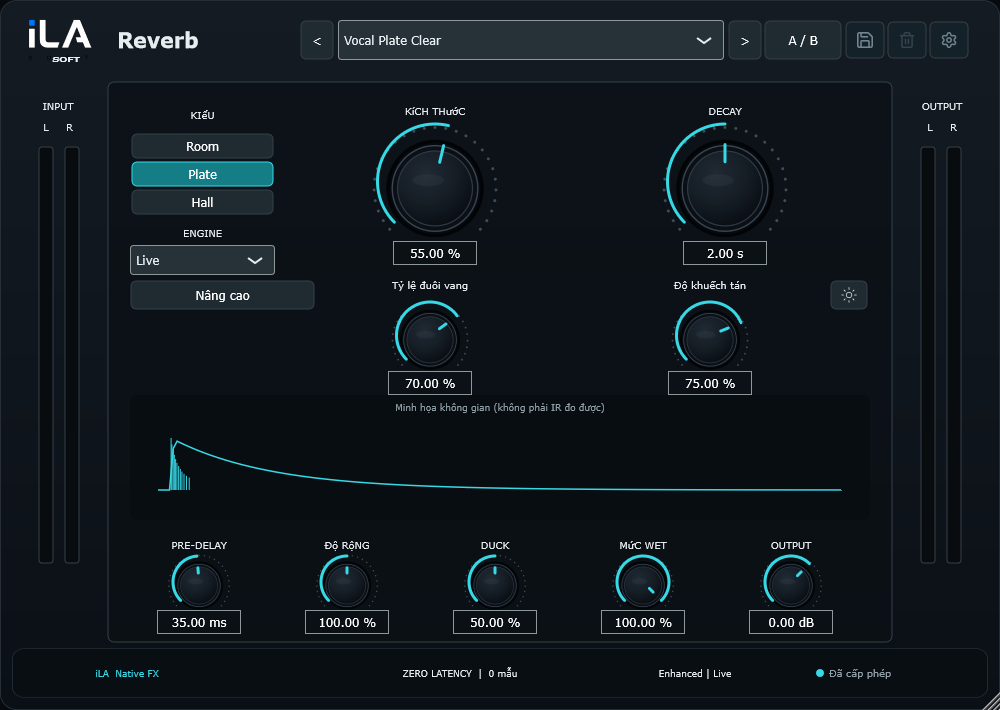
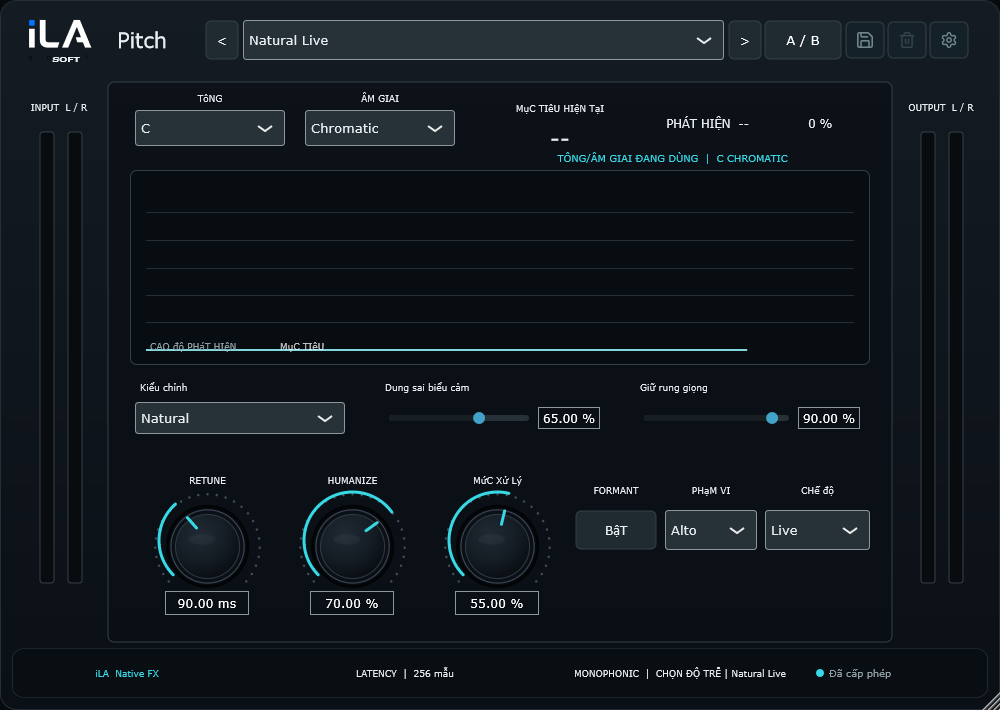
Your vocal presets and VST3 plugins
Use compatible VST3 plugins, open their editors when needed, and save processing chains as presets for quick recall during a live session.
Everyday live tools in one place
Switch presets, play music, trigger the soundboard, record sessions, and use Mini Mode without juggling several control apps.
A stream-ready audio path
Check vocals, music, and master output in idolLiveAudio before sending the processed signal to OBS or TikTok LIVE Studio.
Presets and key data ready for the song
Load a vocal preset, review the song’s Key/Scale, and let idolLiveAudio prepare supported pitch-correction plugins.
Send processed audio to your live app
Prepare a clear audio path for OBS or TikTok LIVE Studio without building a complicated virtual-cable setup yourself.
Soundboard and live-session recording
Trigger 12 soundboard slots, record a session, and listen back to refine vocals, music, or presets for the next stream.
Save, import, and share .ilapreset files
Move vocal setups between computers with .ilapreset files or discover prepared presets in the Preset Store.
Record and review your performance
Record and play back sessions to review levels, vocal processing, and anything that needs adjustment before the next stream.
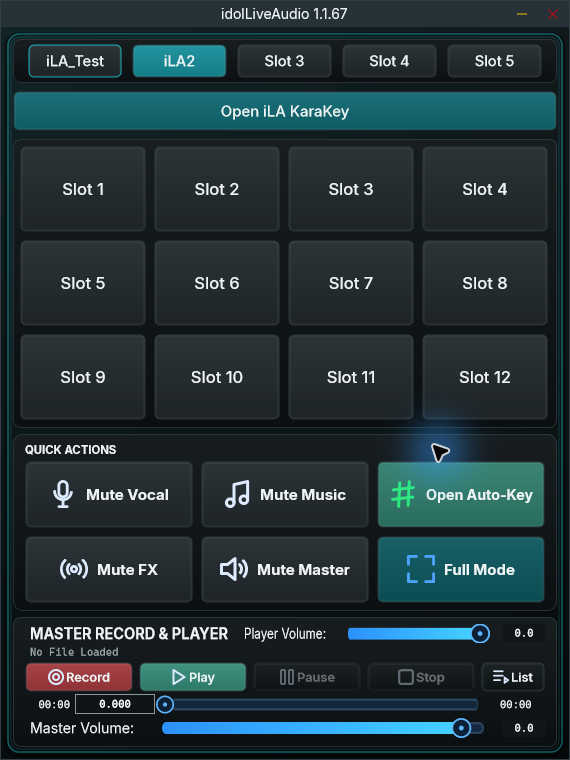
Compact Streamer Mode
Keep essential controls in a minimal floating window to save screen real estate during live streaming.
Account
One account for your app, license & library.
Track license status, expiration, and activated devices.
Save songs from KaraKey and sync them to the app.
Open support tickets and review your support history from your account.
Catalog & Presets
Find songs, prepare the right key, and load presets faster.
KaraKey, My Playlist, and Preset Store help singers prepare before going live: find a backing track, save favorites, review Key/Scale, and choose a suitable vocal setup.
KaraKey helps singers find songs faster and save favorites into their account.
Preset Store is where vocal presets, required plugins, and .ilapreset files live inside the idolLiveAudio ecosystem.
Favorite songs can sync back to the app for quick access in My Song.
Catalog Key/Scale helps the app prepare Auto-Tune and Waves Tune Real-Time for the song; AI-assisted data is clearly marked for review.